
Complete SEO Checklist for a New Website in 2026
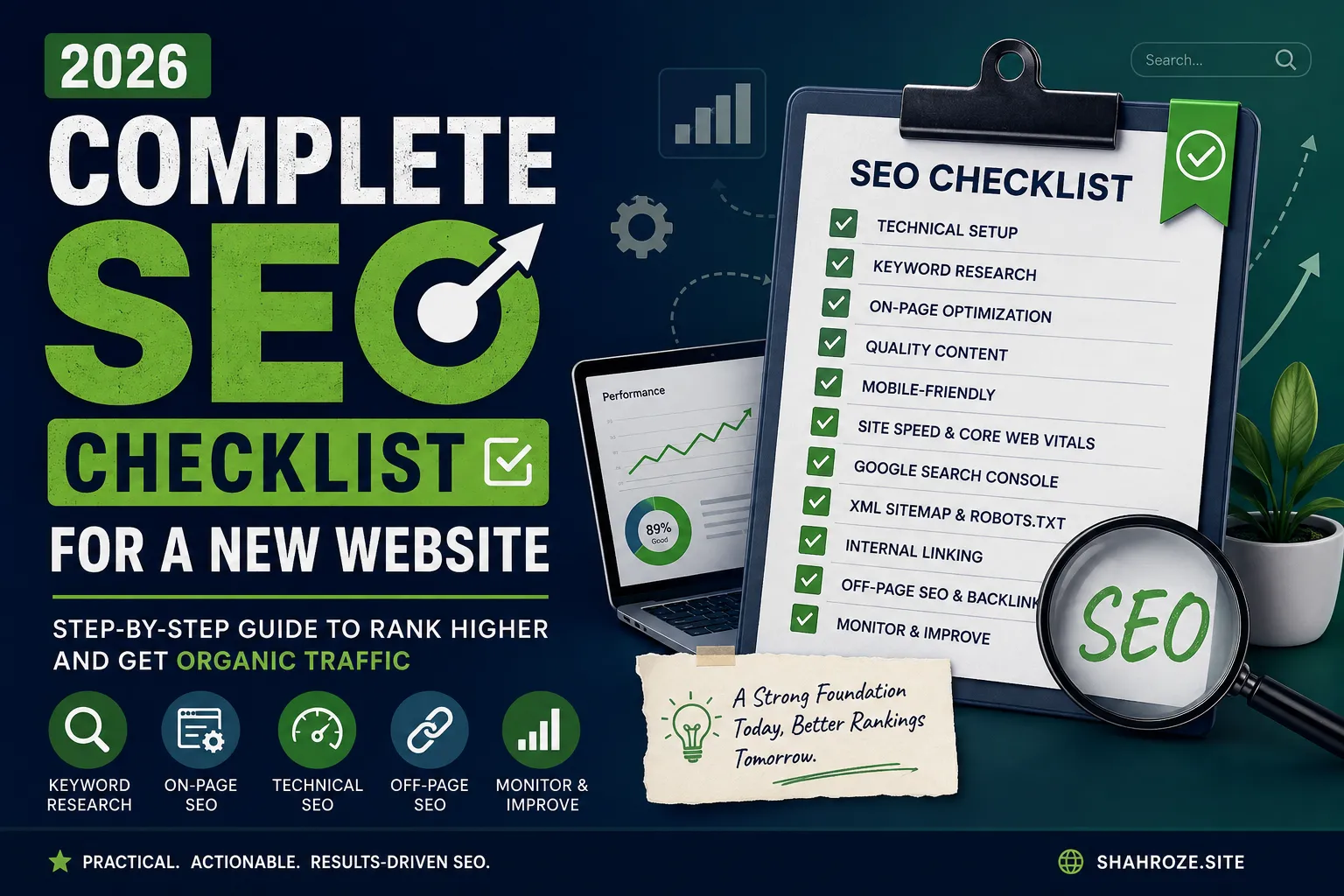
Launching a new website is exciting, but publishing it is only the beginning.
I’ve worked on websites where the design was good, the services were strong, and the business had something valuable to offer — but the website still struggled to get organic traffic. In many cases, the problem wasn’t the business. The website simply wasn’t properly prepared for search.
A new website needs a solid SEO foundation from the start.
This checklist covers the main things I check when launching or optimizing a new website in 2026, from technical setup and keyword research to content, Google Search Console, performance, and ongoing SEO.
Google’s own SEO guidance makes the same basic point: SEO helps search engines understand your content and helps users discover your website through search. (Google for Developers)
Quick SEO Checklist
Before going into detail, here is the short version:
- Choose a clean domain name
- Install SSL/HTTPS
- Make the website mobile-friendly
- Set up Google Search Console
- Set up Google Analytics
- Create and submit an XML sitemap
- Check robots.txt
- Make sure important pages can be indexed
- Research your target keywords
- Define your website structure
- Optimize page titles
- Write useful meta descriptions
- Use proper H1/H2/H3 headings
- Optimize URLs
- Add descriptive image alt text
- Add internal links
- Create useful, original content
- Add About, Contact and author information
- Improve Core Web Vitals
- Check broken links and redirects
- Add relevant structured data
- Set up local SEO if applicable
- Build relevant backlinks naturally
- Monitor Google Search Console
- Track organic traffic and conversions
- Update and improve content regularly
Now let’s look at each part.
1. Start With a Clear Website Structure
Before worrying about rankings, decide how the website should be organized.
A simple structure might look like:
Home
│
├── About
├── Services
│   ├── SEO
│   ├── Web Development
│   └── Digital Marketing
├── Blog
│   ├── SEO
│   ├── WordPress
│   └── Digital Marketing
└── Contact
For an e-commerce website, it could be:
Home
│
├── Categories
│   ├── Category 1
│   ├── Category 2
│   └── Category 3
│
├── Products
└── Blog
The important thing is that users and search engines should be able to understand how the pages relate to each other.
Don’t create dozens of pages simply because you think having more URLs will improve SEO.
Create a page when there is a genuine reason for it.
2. Do Keyword Research Before Writing Pages
One of the biggest mistakes I see is writing all the website content first and thinking about SEO afterwards.
I prefer doing keyword research before creating important pages.
For example, if you’re launching an SEO agency website, don’t just create a page called:
Services
Research what potential customers actually search for.
You might discover searches such as:
- SEO services
- SEO services in Pakistan
- technical SEO services
- e-commerce SEO services
- local SEO services
Then you can decide which searches deserve their own pages.
My basic keyword research process
I usually look at:
- What the business offers
- What customers are likely to search
- Competitor keywords
- Search intent
- Search volume
- Keyword difficulty
- Long-tail opportunities
- Existing Google Search Console data, if available
Don’t obsess over finding the “perfect” keyword.
The better question is:
Does this keyword represent something my potential customer actually needs?
3. Match Keywords With Search Intent
Finding a keyword is only half the job.
You also need to understand what the searcher wants.
For example:
“What is technical SEO?”
This is primarily informational.
A detailed guide makes sense.
But:
“Technical SEO agency Pakistan”
has a much stronger commercial intent.
A service page may be more appropriate.
Think about four common types of searches:
Informational
The person wants an answer.
Commercial
The person is researching a product or service.
Transactional
The person is ready to take action or buy.
Navigational
The person is looking for a particular website or brand.
Your content should match the intent instead of forcing every keyword onto a sales page.
4. Set Up Google Search Console
This should be one of the first things you do after launching.
Google Search Console helps website owners understand how their website performs in Google Search and provides tools for monitoring indexing and search visibility. (Google for Developers)
After verification, check:
- Indexing
- Pages
- Sitemaps
- Search queries
- Clicks
- Impressions
- Average position
- Core Web Vitals
- Manual actions
- Security issues
I particularly recommend checking Search Console regularly after launching because it can show you problems that aren’t obvious when simply browsing your website.
5. Submit Your XML Sitemap
Create an XML sitemap containing the important URLs you want search engines to discover.
For example:
https://example.com/sitemap.xmlThen submit it through Google Search Console.
A sitemap isn’t a guarantee that every URL will be indexed, but it gives Google a useful list of pages you consider important.
Also remember that having a URL in a sitemap does not automatically mean Google will index it.
6. Check Your Robots.txt
Your robots.txt file tells crawlers which parts of your website they can or cannot access.
A basic file might look like:
User-agent: *
Disallow:

Sitemap: https://example.com/sitemap.xml
Don’t blindly copy a robots.txt file from another website.
A badly configured file can prevent search engines from accessing pages you actually want to rank.
7. Make Sure Important Pages Can Be Indexed
This is one of the checks I consider essential before launch.
Check your important pages for:
noindex- accidental password protection
- incorrect canonical tags
- blocked resources
- incorrect robots.txt rules
- broken URLs
- redirect chains
Use Google’s URL Inspection tool in Search Console to see how Google is handling individual URLs.
Google also recommends using tools such as URL Inspection and the Rich Results Test to understand how Google sees your pages. (Google for Developers)
8. Use HTTPS
Your website should use HTTPS.
In practical terms:
https://example.comrather than:
http://example.comMake sure the HTTPS version is the preferred version and that the HTTP version redirects correctly.
Also check that images, scripts and other resources aren’t causing mixed-content problems.
9. Make the Website Mobile-Friendly
A website can look excellent on a desktop and still provide a poor experience on a phone.
Test:
- Navigation
- Buttons
- Forms
- Text size
- Images
- Menus
- Tables
- Product pages
- Checkout
- Contact forms
Don’t just check the homepage.
Test the pages where users are actually expected to take action.
Google’s page-experience guidance recommends making pages work well on mobile, remain secure and provide a good overall experience. (Google for Developers)
10. Improve Website Speed
Speed matters because slow websites frustrate users.
For a new website, I normally check:
- Image sizes
- Web fonts
- JavaScript
- CSS
- Plugins
- Hosting performance
- Caching
- Unused scripts
- Third-party tracking tools
Don’t try to get a perfect PageSpeed score just for the sake of seeing 100/100.
Focus on making the actual website fast and usable.
Google recommends paying attention to Core Web Vitals, which measure loading performance, responsiveness and visual stability. The current recommended targets include LCP under 2.5 seconds, INP under 200 milliseconds and CLS under 0.1 for a good user experience. (Google for Developers)
11. Write a Good SEO Title for Every Important Page
Your title should tell both Google and the searcher what the page is about.
Instead of:
Home
Use something descriptive, such as:
SEO Services in Lahore | Shahroze
Or:
Custom Rigid Boxes in Pakistan | Brand Name
Avoid making every page title identical.
Each important page should have a clear and relevant title.
12. Write Useful Meta Descriptions
Meta descriptions don’t need to be stuffed with keywords.
Write them for the person deciding whether to click.
For example:
Learn how our SEO services can help your business improve organic visibility, attract relevant visitors and generate more leads from Google.
Keep it natural.
Don’t write:
SEO services SEO company SEO expert SEO Pakistan best SEO services.
That looks bad to users and doesn’t make the page more useful.
13. Use a Clear Heading Structure
Each page should have a clear main heading.
For example:
H1: SEO Services in Pakistan

H2: Our SEO Services

H3: Technical SEO

H3: On-Page SEO

H3: Local SEO

H2: Our SEO Process

H2: Frequently Asked Questions
Headings should help users scan the page.
Don’t add headings simply to insert more keywords.
14. Keep URLs Simple
Compare:
example.com/services/seowith:
example.com/page?id=2387&cat=seo123The first one is easier for people to understand.
Try to keep URLs:
- Short
- Descriptive
- Readable
- Consistent
- Relevant to the page
Avoid changing URLs unnecessarily after a website starts receiving traffic.
15. Optimize Images
Before uploading images:
- Compress them
- Use appropriate dimensions
- Use modern formats where suitable
- Give files descriptive names
- Add useful alt text
Instead of:
IMG_8392.jpguse something descriptive such as:
seo-audit-checklist.jpgAlt text should describe the image when it is useful for accessibility and understanding.
Don’t use alt text as a place to stuff keywords.
16. Add Internal Links
Internal linking is one of the simplest things you can improve on a website.
Suppose you have:
Blog:
“How to Improve WordPress SEO”
You can naturally link to:
Service:
“WordPress SEO Services”
And from the service page, you might link to:
Related guide:
“WordPress SEO Checklist”
This creates useful connections between your pages.
17. Create Helpful Content
This is where I would spend most of the effort.
Don’t create 50 short articles just because you want 50 URLs.
Create fewer pages that genuinely answer questions your audience has.
Google’s current guidance emphasizes helpful, reliable, people-first content and specifically recommends original information, clear authorship, useful analysis and content that gives readers enough information to accomplish their goal. (Google for Developers)
A good article should answer:
- Who is this for?
- What problem does it solve?
- What does the reader need to know?
- What should they do next?
18. Show Who Is Behind the Website
This is particularly important for professional websites.
Add:
- Author name
- Author bio
- About page
- Contact information
- Business details
- Relevant qualifications or experience
- Links to professional profiles where appropriate
For articles based on your own work, say so.
For example:
“I used this process while working on an e-commerce SEO project…”
That’s much more useful than pretending to have general knowledge without explaining where it came from.
Google’s guidance specifically encourages clear authorship and background information that helps readers understand who created the content. (Google for Developers)
19. Add First-Hand Experience Where You Can
This is one of the areas I would focus on most in 2026.
If you’ve actually worked on a website, say what you did.
Instead of writing:
“SEO can increase organic traffic.”
Write:
“While working on JumaBazar.pk, I focused on keyword research, category optimization, internal linking and Search Console analysis. The recorded Google Search milestone increased from 7K to 11K clicks.”
That’s specific.
It gives the reader something they can’t get from a generic SEO definition.
20. Create an About Page
Your About page shouldn’t be an afterthought.
Explain:
- Who you are
- What you do
- Your experience
- What the website is about
- Who you help
- Why people should trust the information
For a personal professional website like Shahroze.site, the About page can become an important part of your credibility.
21. Create a Proper Contact Page
Make it easy for visitors to contact you.
Depending on the business, this might include:
- Phone
- Contact form
- Office address
- Business hours
- Social profiles
Don’t hide your contact information behind several clicks.
22. Add Relevant Structured Data
Structured data helps search engines understand certain types of content.
Depending on your website, you may use appropriate structured data for things such as:
- Organization
- Person
- Article
- Breadcrumbs
- Product
- Local business
- Event
Only use structured data that accurately describes the page.
Don’t add markup for information that isn’t actually present on the page.
23. Set Up Local SEO if You Serve a Specific Area
If you’re targeting customers in Lahore, Islamabad, Karachi or another specific location, local SEO can be important.
Check:
- Google Business Profile
- Business name consistency
- Address
- Phone number
- Website
- Business category
- Opening hours
- Reviews
- Local landing pages
Don’t create dozens of near-identical city pages just to target locations.
Each location page should have a genuine purpose and useful local information.
24. Check Broken Links
Before launching, crawl the website and look for:
- 404 pages
- Broken internal links
- Broken images
- Incorrect redirects
- Links to deleted pages
A new website is the perfect time to fix these because there usually isn’t much historical baggage yet.
25. Set Up Redirects Correctly
If an old URL needs to be replaced, use an appropriate redirect.
For permanent URL changes, a 301 redirect is normally the appropriate choice.
Avoid redirecting everything to the homepage.
If:
/old-service/has become:
/new-service/redirect the old page to the most relevant new page.
26. Don’t Ignore Off-Page SEO
Once the website is technically sound and has useful content, you can start working on its authority and visibility elsewhere.
This can include:
- Relevant industry websites
- Genuine guest contributions
- Business directories
- Partnerships
- Digital PR
- Useful resources that naturally earn links
- Professional profiles
The goal shouldn’t be:
“How many backlinks can I buy?”
Instead ask:
“Where would my website genuinely be useful to another website’s audience?”
27. Avoid Cheap Backlinks
I would avoid:
- Spammy link packages
- Automated backlinks
- Private blog networks
- Irrelevant directories
- Thousands of low-quality links
- Links created solely to manipulate rankings
A few relevant mentions can be more valuable than a huge list of unrelated links.
28. Track Conversions, Not Just Traffic
Traffic is useful, but traffic alone isn’t the business goal.
Depending on the website, track:
- Contact form submissions
- Phone calls
- WhatsApp clicks
- Purchases
- Newsletter signups
- Quote requests
- Bookings
- Downloads
For example:
10,000 visitors + 5 leads
may be less useful than:
2,000 visitors + 50 qualified leads.
SEO should ultimately support the business.
29. Check Search Console Every Month
Once the website is live, SEO doesn’t stop.
Every month, check:
Queries
What are people searching?
Pages
Which pages are getting traffic?
Impressions
Where are you appearing but not getting clicks?
Positions
Which pages are close to page one?
Indexing
Are important pages indexed?
Core Web Vitals
Are there performance problems?
This data can tell you what to improve next.
30. Update Content Instead of Constantly Publishing New Content
You don’t always need another blog post.
Sometimes an existing article ranking at position 8 can be improved more effectively than publishing a completely new article.
Review:
- Outdated information
- Missing sections
- Broken links
- Weak introductions
- Poor titles
- New examples
- Better internal links
- New data
- Better images
Google’s SEO guidance recommends keeping useful content up to date and improving or removing content when it is no longer relevant. (Google for Developers)
My New Website SEO Checklist
If I were launching a new website today, this is the order I would follow:
Phase 1 — Before Launch
☐ Keyword research
☐ Competitor research
☐ Website structure
☐ URL structure
☐ Page planning
☐ Content planning
Phase 2 — Technical Setup
☐ HTTPS
☐ Mobile optimization
☐ XML sitemap
☐ Robots.txt
☐ Canonical URLs
☐ Indexability
☐ Redirects
☐ 404 page
☐ Website speed
☐ Core Web Vitals
Phase 3 — On-Page SEO
☐ SEO titles
☐ Meta descriptions
☐ H1/H2 headings
☐ Clean URLs
☐ Image optimization
☐ Alt text
☐ Internal linking
☐ Relevant structured data
Phase 4 — Content
☐ Homepage content
☐ Service/category pages
☐ Product pages
☐ About page
☐ Contact page
☐ Author information
☐ Helpful blog content
☐ FAQs where genuinely useful
Phase 5 — Google Setup
☐ Google Search Console
☐ XML sitemap submission
☐ URL inspection
☐ Google Analytics
☐ Conversion tracking
☐ Google Business Profile, if applicable
Phase 6 — Off-Page SEO
☐ Relevant business listings
☐ Digital PR
☐ Industry mentions
☐ Useful partnerships
☐ Quality backlinks
Phase 7 — Monthly SEO
☐ Search Console review
☐ Organic traffic review
☐ Keyword review
☐ Indexing review
☐ Technical audit
☐ Content updates
☐ Conversion analysis
What I Would Not Do
There are also a few things I wouldn’t waste time on.
I wouldn’t:
❌ Stuff keywords into every paragraph
❌ Publish hundreds of thin AI-written articles
❌ Buy thousands of cheap backlinks
❌ Create pages for every possible keyword variation
❌ Chase a perfect PageSpeed score
❌ Change URLs unnecessarily
❌ Write content just to hit a particular word count
❌ Copy competitors
❌ Claim rankings or results without evidence
Google’s current guidance explicitly says there is no preferred word count, and warns against producing large amounts of content primarily to attract search traffic or using automation to manipulate rankings. (Google for Developers)
Final Thoughts
SEO for a new website isn’t complicated because there are hundreds of secret tricks.
It’s difficult because everything needs to work together.
The website needs to be technically accessible.
The pages need to target real searches.
The content needs to answer people’s questions.
The site needs to be easy to use.
And after launch, you need to look at the data and keep improving.
That’s the approach I use when working on SEO projects.
Build the foundation first. Create useful pages. Make them easy to find. Measure what happens. Then improve.
And don’t expect SEO to deliver overnight results.
A new website needs time to be crawled, indexed, understood and evaluated. Good SEO is a process, not a launch-day task.